 Why Use Google Maps for Travel Planning
 Why Use Google Maps for Travel Planning
Customizable Itineraries for Every Traveler
Google Maps empowers you to create tailored travel itineraries that suit your unique needs. Whether you’re a backpacker seeking adventure, a digital nomad balancing work and exploration, or a family planning a stress-free vacation, Google Maps lets you design routes that align with your interests. You can add multiple stops, prioritize attractions, and even categorize activities by type—making it easier to visualize your journey. Plus, the ability to save multiple itineraries ensures you’re always prepared for future trips.
Save Time and Money with Optimized Routes
One of the biggest advantages of using Google Maps is its ability to optimize routes for efficiency. Instead of wasting time navigating confusing streets or backtracking, Google Maps provides the fastest and most cost-effective paths. This is especially useful for budget travelers looking to save on transportation costs or families trying to minimize travel stress. The app also factors in real-time traffic updates, helping you avoid delays and make the most of your trip.
Access to Real-Time Information and Trusted Reviews
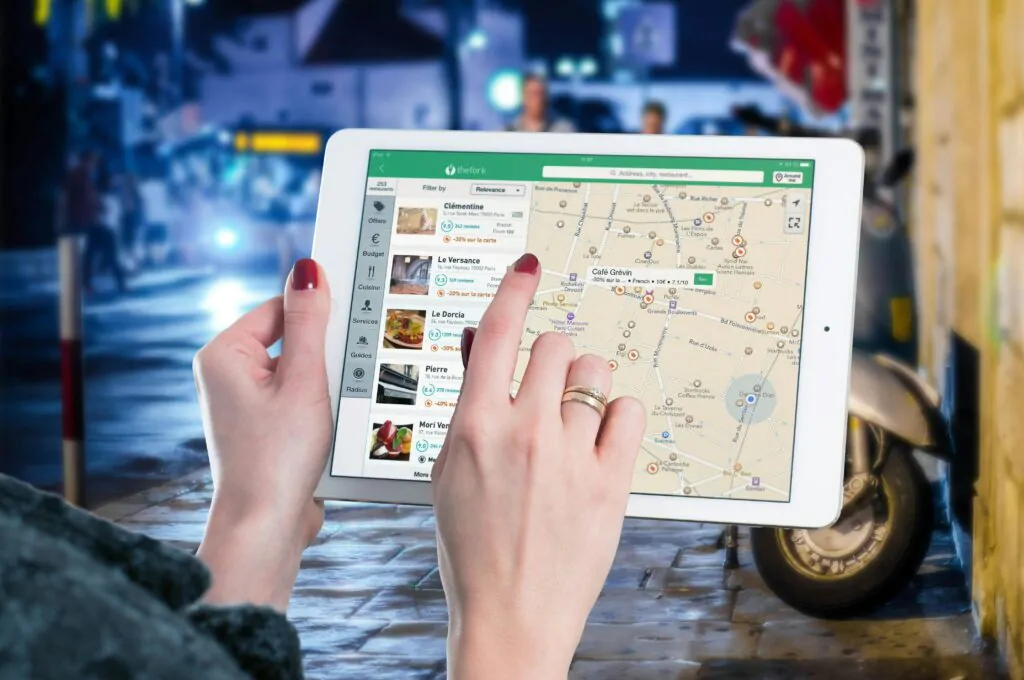
Google Maps is a treasure trove of real-time information that can enhance your travel experience. From up-to-date opening hours and contact details for attractions to live transit updates, you’ll always have the latest information at your fingertips. Additionally, the app features millions of reviews and photos from other travelers, giving you honest insights into destinations, accommodations, and restaurants. This is invaluable for first-time travelers or cultural tourists seeking authentic experiences.
- Find hidden gems with user recommendations.
- Check ratings to ensure quality and safety.
- Plan with confidence using verified information.
Getting Started with Google Maps
Setting Up Your Account and Preferences
Before diving into creating your custom travel itinerary, the first step is to set up your Google Maps account if you don’t already have one. It’s free, easy, and opens up a world of possibilities for planning your trip. Sync your account across devices to access your maps and preferences wherever you go. Don’t forget to customize your settings—enable notifications for nearby attractions, adjust your map display (like satellite or terrain view), and save your frequent locations for quicker searches.
Exploring Destination Layers (Hotels, Restaurants, Attractions)
Google Maps is a treasure trove for budget travelers, digital nomads, and cultural tourists alike. Use the layers feature to explore key points of interest like hotels, restaurants, and attractions. For example:
- Looking for affordable accommodations? Use the hotel layer to filter by price range and read reviews.
- Hungry? The restaurant layer shows ratings, menus, and even delivery options.
- Planning your day? The attractions layer highlights must-see spots, from museums to hiking trails.
These layers make it easy to visualize your destination and plan your activities efficiently.
Using Offline Maps for Remote Areas
Traveling to remote areas or places with spotty internet? No problem. Google Maps allows you to download offline maps for any location. Here’s how:
- Search for your destination in Google Maps.
- Tap the menu (three horizontal lines) and select “Download offline map.”
- Adjust the area you want to save and download it.
This feature is a lifesaver for adventurers and solo travelers exploring off-the-beaten-path destinations or navigating without data. Plus, it’s a great way to save on roaming charges!
Building Your Custom Itinerary
Adding Destinations and Creating Lists
Start by identifying the destinations you want to visit. Google Maps allows you to pin locations and save them into customizable lists. Whether you’re planning a city tour or a multi-country adventure, this feature helps you keep track of all the spots you’re excited about. Create separate lists for accommodations, restaurants, attractions, and hidden gems to stay organized.
- Use starred places for must-visit spots.
- Color-code pins to categorize destinations (e.g., green for parks, blue for museums).
- Share your lists with travel companions for collaborative planning.
Organizing Activities by Day and Priority
Once you’ve added your destinations, it’s time to structure your itinerary by day. Group activities that are close to each other to minimize travel time. Prioritize must-see attractions early in the day to avoid missing out due to unexpected delays. Here’s how to do it effectively:
| Day | Morning | Afternoon | Evening |
|---|---|---|---|
| Day 1 | Historical Tour | Lunch at Local Eatery | Cultural Show |
| Day 2 | Nature Hike | Visit Museum | Dinner at Rooftop Restaurant |
Integrating Transportation Options
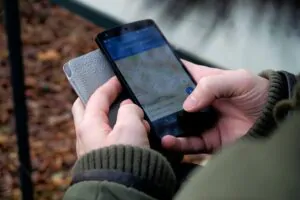
Google Maps is a lifesaver when it comes to planning how to get around. Whether you’re using public transit, walking, or driving, the app provides real-time directions and estimated travel times. Here’s how to make the most of it:
- Public Transit: Check schedules and routes for buses, trains, and subways. Save offline maps for areas with limited internet.
- Walking: Use the walking directions to explore neighborhoods safely and efficiently.
- Driving: Plan driving routes, including toll roads and parking suggestions, to save time and money.
By integrating transportation options into your itinerary, you’ll avoid unnecessary stress and focus on enjoying your trip.
Budget-Friendly Tips for Travelers
Finding Affordable Accommodations and Dining
Traveling on a budget doesn’t mean sacrificing comfort or flavor. Start by booking accommodations in advance to secure the best rates. Consider staying in hostels, guesthouses, or budget hotels, which often offer clean and cozy rooms at a fraction of the cost. Platforms like Airbnb or Booking.com can also help you find affordable stays with local charm.
When it comes to dining, eat like a local. Street food and small family-run restaurants are not only budget-friendly but also offer authentic culinary experiences. Avoid dining in tourist-heavy areas, where prices are often inflated. Instead, ask locals for their favorite spots or explore neighborhoods slightly off the beaten path.
Avoiding Tourist Traps with Local Insights
Tourist traps can drain your wallet and leave you feeling underwhelmed. To avoid them, do your research before you go. Read reviews, join travel forums, or connect with locals through social media groups. They can provide invaluable insights into what’s worth your time and money.
Another tip is to visit popular attractions during off-peak hours. Not only will you avoid crowds, but you might also find discounted entry fees. Additionally, consider exploring lesser-known attractions that are equally captivating but often overlooked by tourists.
Maximizing Free Attractions and Experiences
Some of the best travel experiences don’t cost a dime. Many cities offer free walking tours, where knowledgeable guides share fascinating stories and history. Museums and galleries often have free entry days, so plan your visit accordingly.
Nature lovers can take advantage of public parks, beaches, and hiking trails, which are usually free to access. Don’t forget to check out local events, such as festivals or markets, which can provide a rich cultural experience without breaking the bank.
Here’s a quick list of free or low-cost activities to consider:
- Explore public art installations and murals.
- Attend free concerts or outdoor performances.
- Visit historical landmarks and monuments.
- Take a self-guided tour using apps or online resources.
Tailoring Itineraries for Different Travelers
Solo Travelers: Safety Tips and Hidden Gems
Traveling alone can be incredibly liberating, but safety should always come first. Research your destination thoroughly—look for areas with good public transport and reliable infrastructure. Consider staying in hostels or guesthouses with solid reviews for solo travelers. Apps like Google Maps can help you navigate unfamiliar streets and find local recommendations. For hidden gems, explore lesser-known neighborhoods or cafes that locals frequent. Off-peak hours at popular attractions can also give you a more intimate experience.
Families: Kid-Friendly Activities and Accommodations
Traveling with kids requires extra planning to ensure everyone has a great time. Look for family-friendly accommodations that offer amenities like pools, play areas, or babysitting services. Use Google Maps to locate nearby parks, museums, or interactive attractions that cater to children. Pack a small travel kit with essentials like snacks, toys, and first-aid items. To save money, consider booking vacation rentals that include kitchens—cooking meals can be both budget-friendly and convenient.
Digital Nomads: Work-Friendly Spots and Co-Living Spaces
For those who work while traveling, finding reliable internet is crucial. Coffee shops, coworking spaces, and libraries are excellent options. Use Google Maps to search for cafes with good Wi-Fi or coworking spaces in your destination. Co-living spaces are becoming increasingly popular, offering both accommodation and workspaces in one. These spots often host community events, making it easier to meet like-minded travelers. Don’t forget to check time zones if you have meetings to attend!
Adventurers: Off-the-Beaten-Path Destinations and Outdoor Activities
If you’re seeking thrill and exploration, skip the tourist hotspots and head for lesser-known destinations. Google Maps can help you discover trails, hidden beaches, or remote villages that are perfect for adventurers. Pack lightweight gear suited for your activities—think hiking boots, water-resistant clothing, or a reliable backpack. Research local guides or tours that specialize in outdoor adventures, from rock climbing to kayaking. Always prioritize safety and check weather conditions before heading out.
Advanced Features to Enhance Your Trip
Sharing Itineraries with Travel Companions
Traveling with others? Google Maps makes it easy to share your custom itinerary with your travel companions. Simply export your plan and send it via email, messaging apps, or even a shared link. This ensures everyone is on the same page, whether you’re exploring a bustling city or a remote hiking trail. For families or groups, this feature is a lifesaver, helping you coordinate activities and avoid last-minute confusion.
Using Google Maps’ “Explore” Feature for Local Recommendations
Looking for budget-friendly eats or hidden gems? Google Maps’ “Explore” feature is your go-to tool. It provides personalized recommendations for restaurants, attractions, and activities based on your location and preferences. Whether you’re a digital nomad searching for a cozy café with reliable Wi-Fi or a cultural tourist eager to discover local museums, this feature helps you uncover the best spots without breaking the bank.
Syncing with Other Travel Apps and Tools
Google Maps doesn’t have to work alone. You can sync it with other travel apps like TripIt, Airbnb, or Skyscanner to streamline your planning process. For example, sync your flight details to get real-time updates on your route to the airport or integrate your accommodation bookings for seamless navigation. This is especially useful for solo travelers or adventurers who want to keep everything organized in one place.
By leveraging these advanced features, you can make your trip smoother, more enjoyable, and tailored to your unique travel style. Whether you’re a budget traveler, a digital nomad, or a family on vacation, these tools are designed to enhance your journey.
Final Tips for a Stress-Free Trip
Double-Check Your Itinerary Before Departure
 Double-Check Your Itinerary Before Departure
Before you set off on your adventure, take a few moments to review your itinerary thoroughly. Ensure all bookings for flights, accommodations, and activities are confirmed and saved in a central location, such as Google Maps or a travel app. Double-check the dates, times, and addresses to avoid last-minute surprises. A well-organized plan is your best ally for a smooth trip.
Stay Flexible and Open to Changes
While planning is essential, flexibility is equally important. Travel rarely goes exactly as planned, and that’s part of the fun! Be prepared to adjust your schedule if needed—whether it’s due to weather, unexpected closures, or spontaneous opportunities. Remember, sometimes the best experiences come from the unexpected.
Use Google Maps for Real-Time Navigation
During your trip, Google Maps can be your ultimate travel companion. Use it for real-time navigation, public transit updates, and to discover nearby attractions, restaurants, and hidden gems. Save your must-visit spots offline in case you lose internet access. With Google Maps, you’ll always have a reliable guide in your pocket.
FAQ
- How can I ensure my itinerary is accurate?
- Cross-reference all bookings and save them in one place, like Google Maps. Confirm details directly with service providers if needed.
- What if something changes during my trip?
- Stay calm and adjust your plans. Use tools like Google Maps to find alternatives and make the most of the situation.
- Can I use Google Maps without internet?
- Yes! Download offline maps for your destination before your trip to navigate seamlessly without an internet connection.

About Grace Castle
Grace Castle, 29, is a passionate traveler and digital nomad who turned her love for exploring the world into a career. With years of experience traveling across different countries, she has mastered the art of smart travel planning, working remotely while discovering new destinations.
An expert in budget travel, local culture, and remote work, Grace shares valuable tips for those looking to travel more while spending less. Her mission is to help fellow travelers explore the world with ease, safety, and authentic experiences.
When she’s not writing about her adventures, Grace can be found discovering cozy cafés, learning new languages, or planning her next trip.